The Identify API lets you attach custom user attributes (such as plan, customer status, or account type) to a visitor. These attributes can then be used for targeting experiments and personalizations, and for post-segmentation in A/B test reports.
What it does?
When you identify a user, Mida:
Stores the provided attributes on the visitor profile
Persists them across sessions
Makes them available for targeting and reporting
Mida automatically UTMs data in user attribution. The Identify API adds product and business context from your app.
How to use it?
Call identify from the browser once the user data is available (e.g. after login).
You can send any custom key/value pairs (e.g. is_customer, plan_name, account_type, etc.).
Using Identified Attributes for Targeting
Identified attributes appear in:
Targeting Rules → Behavior & Analytics Targeting →Segment Rules
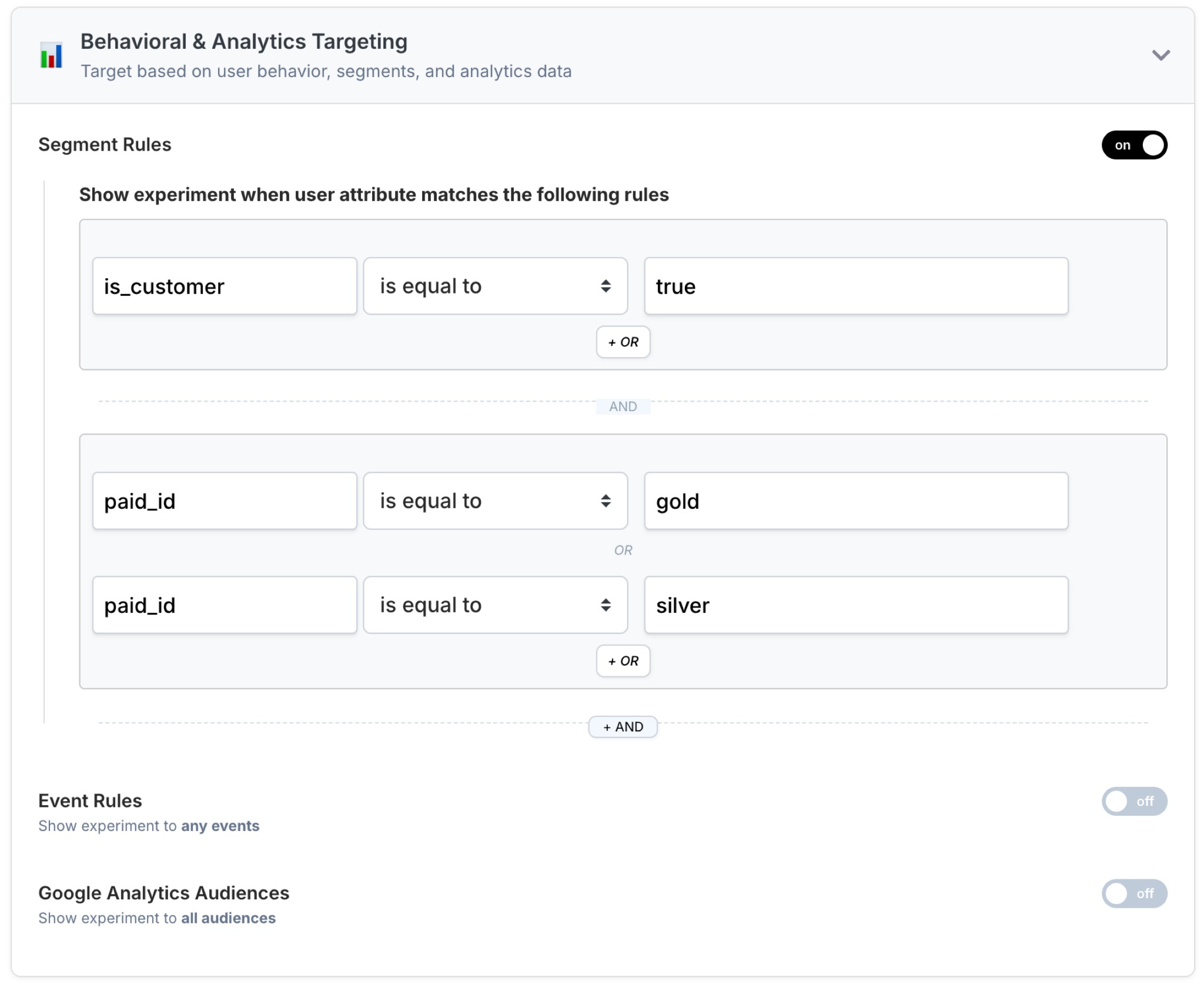
Example:
Show an experiment only when:
is_customer=trueAND (
paid_id=goldORsilver)
Using Attributes in Reports (Post Segmentation)
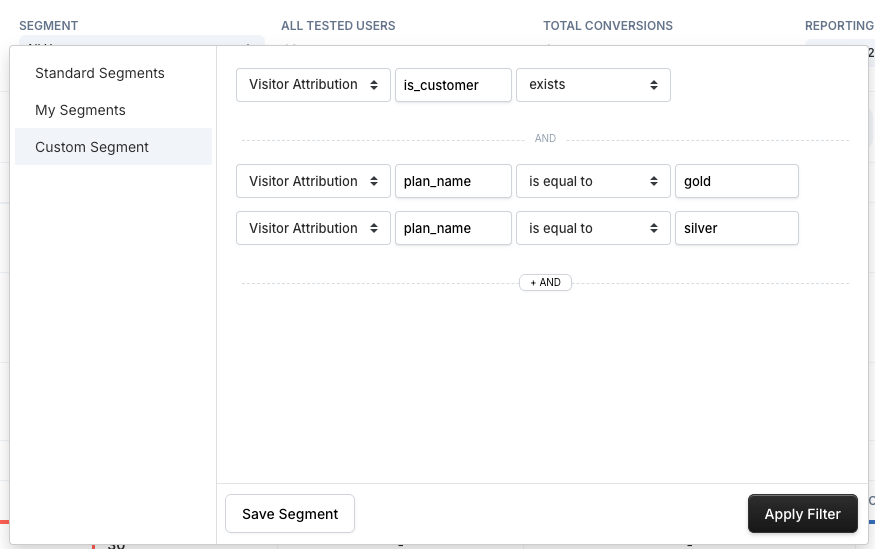
The same attributes can be used after the test in A/B test reports to filter and compare results.
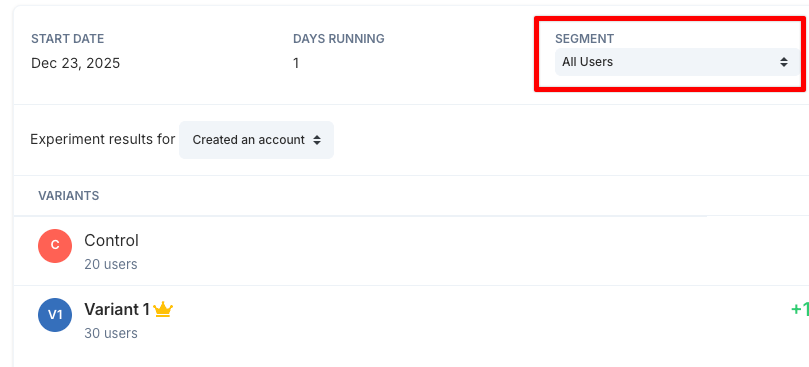
Example analyses:
Gold vs Silver users
Customers vs non-customers
Plan-specific conversion differences
Summary
The Identify API:
Enriches visitors with business context
Enables precise targeting in experiments and personalizations
Unlocks powerful post-segmentation analysis in reports
Was this article helpful?
That’s Great!
Thank you for your feedback
Sorry! We couldn't be helpful
Thank you for your feedback
Feedback sent
We appreciate your effort and will try to fix the article